Highlight the Web &
build your AI memory
Highlight anything on any page or PDF, keep what matters in one place, and turn it into an AI that thinks with your own ideas.
The first step is to decide what to work on. The work you choose needs to have three qualities: it has to be something you have a natural aptitude for, that you have a deep interest in, and that offers scope to do great work.
In practice you don't have to worry much about the third criterion. Ambitious people are if anything already too conservative about it. So all you need to do is find something you have an aptitude for and great interest in. [1]
The work you choose needs to have three qualities: a natural aptitude, a deep interest, and scope to do great work.
The first step is to decide what to work on.
Develop a habit of working on your own projects.
Start one this weekend
Curiosity is the best guide, and an especially reliable one.
researchers, students, and lifelong learners highlight with Glasp.
How Glasp works, in three steps
- 01
Highlight
Select text on any webpage, PDF, YouTube video, or Kindle book. Add a note while it's fresh.
- 02
Organize
Everything lands in one library, sorted by tag and author, searchable in seconds.
- 03
Recall with AI
Chat with your highlights, get summaries, and let your AI memory resurface what matters.
Capture an idea, then do more with it
Highlights on the web, PDFs, YouTube, and Kindle — organized, searchable, and ready to share or hand to your AI.
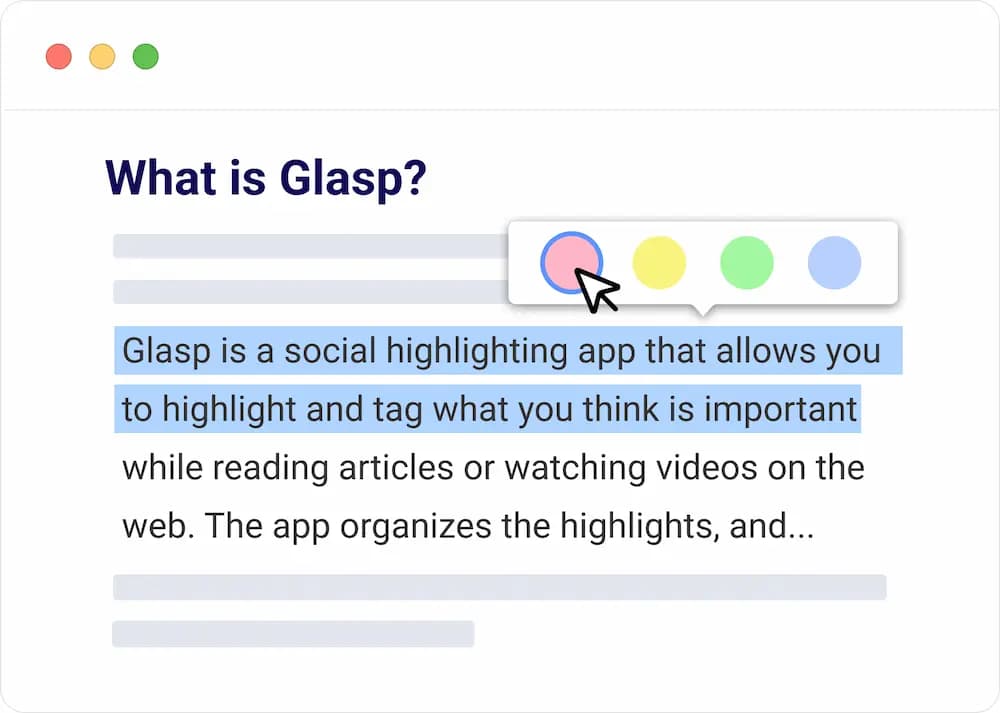
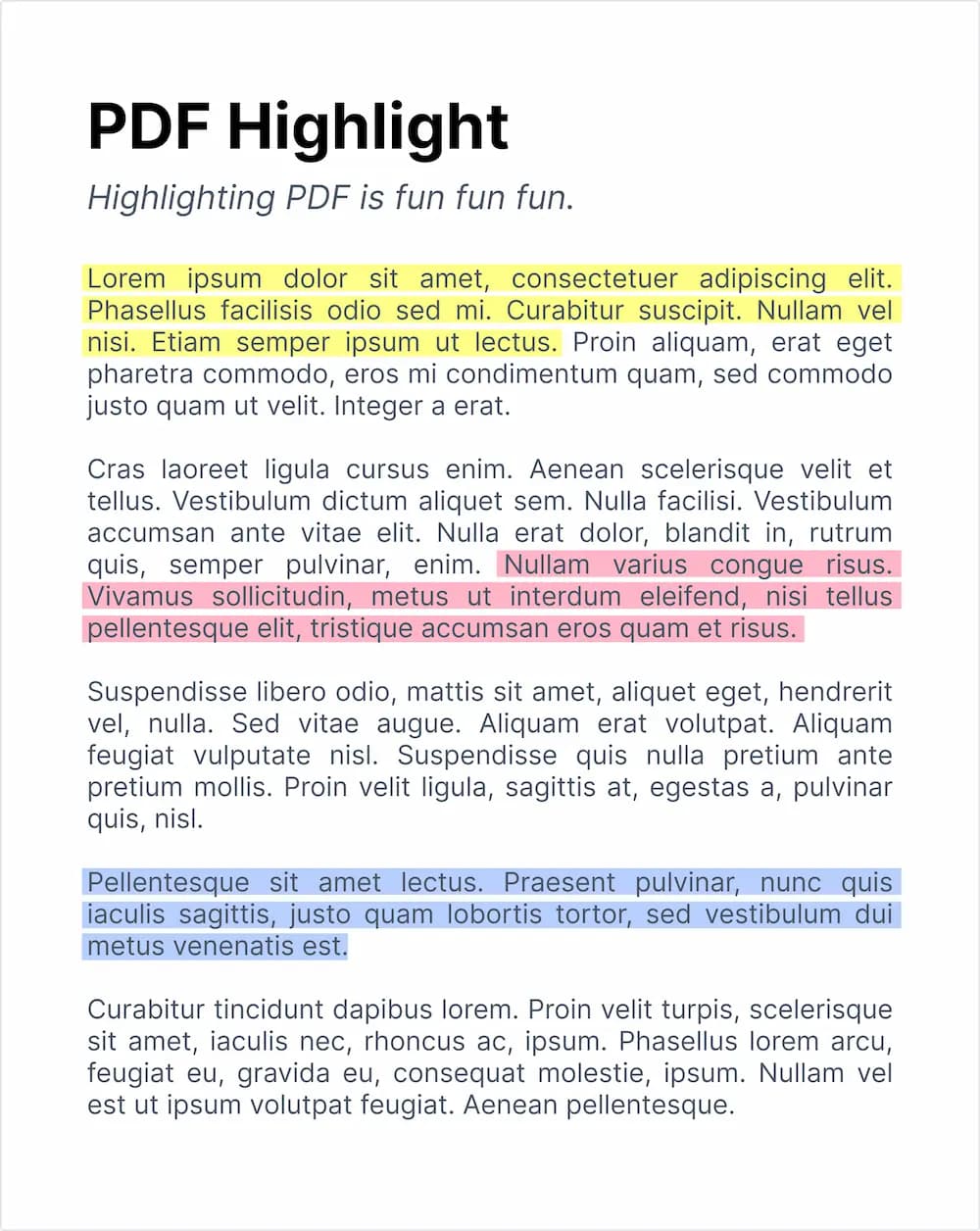
Highlight directly on any page or PDF
Select text in Chrome, Safari, or Edge and it's saved with a note. Works on articles, PDFs, YouTube, and Kindle.
Clip videos with timestamps
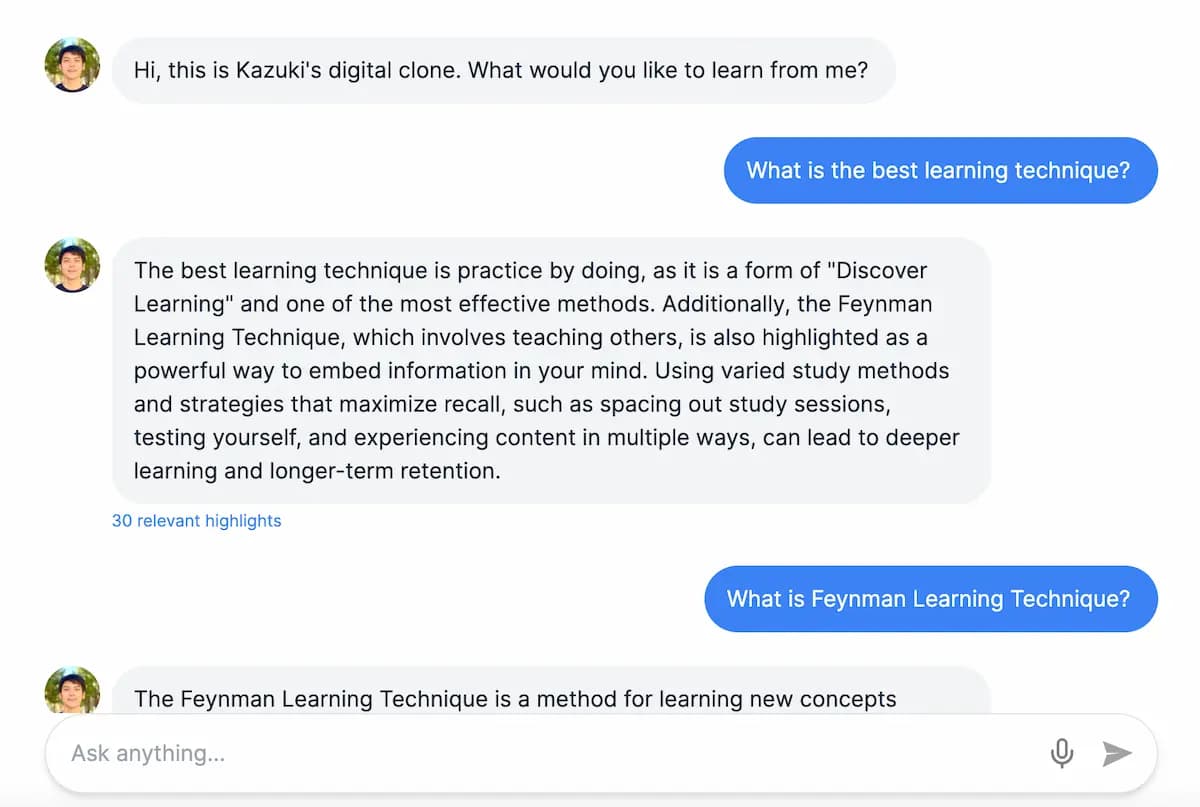
Chat with your highlights
Ask questions and get answers grounded in everything you've saved.
Bring in Kindle
Kindle, Medium, Snipd, Instapaper, Hypothesis, and more — all in one library.
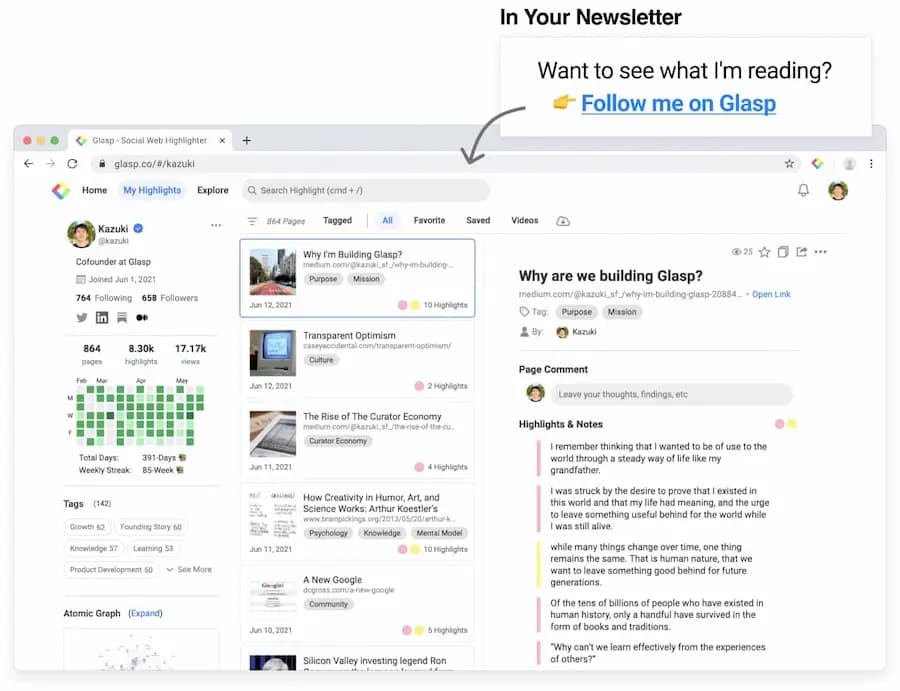
Tag, search, revisit
Sort by tag and author, and find any highlight in seconds.
Send to your notes app
Notion, Obsidian, Roam — or Markdown, CSV, and JSON.
See your learning, find like minds
A knowledge graph maps what you read, and follows people who highlight the things you care about.
Your highlights become an AI that thinks with you
Every highlight feeds a personal AI trained on your own ideas, not the whole internet. It summarizes, answers, and remembers so you don't have to.
Summaries on demand
One-click AI summaries of articles, PDFs, and YouTube videos.
Chat with your highlights
Ask questions and get answers grounded in what you've saved.
Ask your memory
Resurface a half-remembered idea by describing it.
Use it in ChatGPT & Claude
The MCP connector brings your highlights into any AI tool.
Plays well with your stack
Bring highlights in from where you read, and send them out to where you think. Your data stays yours.
Your highlights, now in your pocket
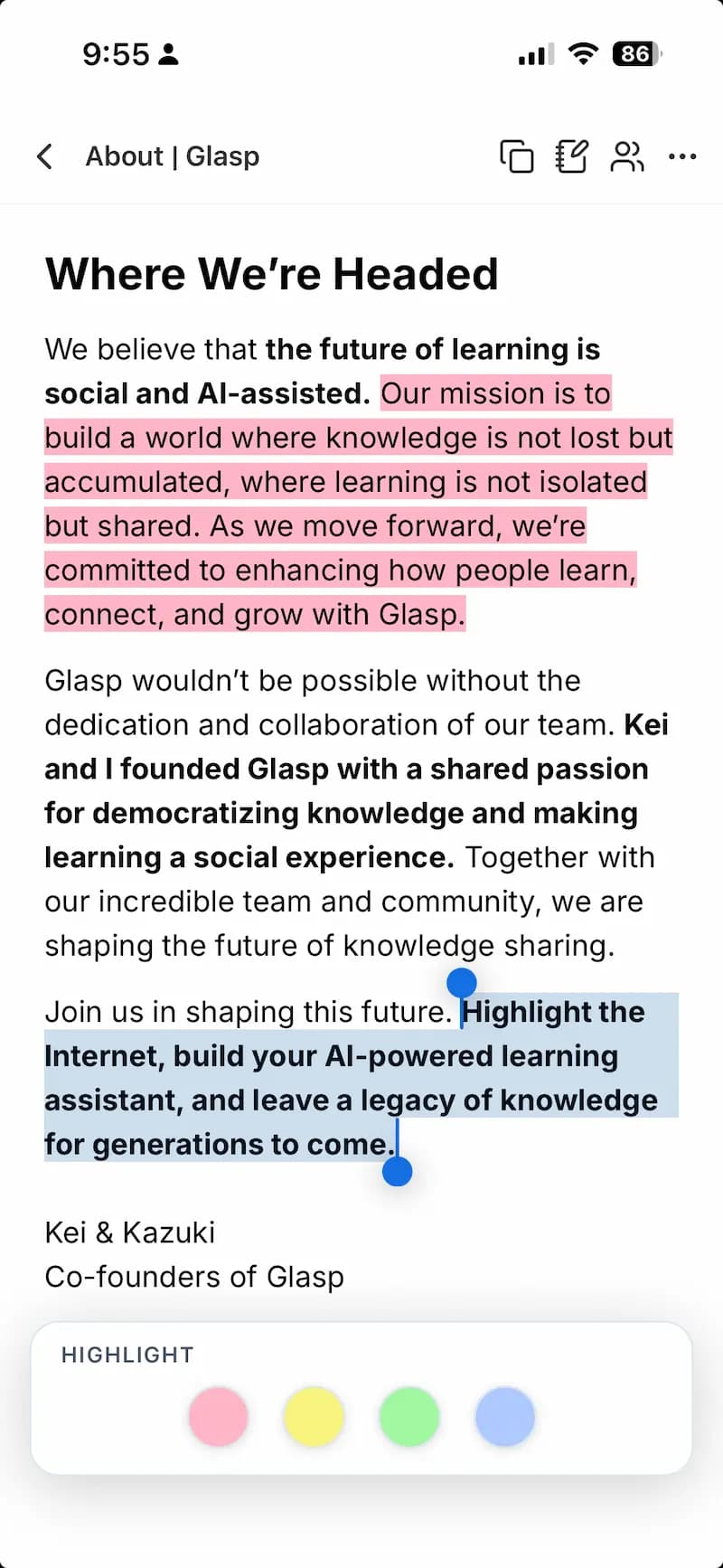
The Glasp app was rebuilt from the ground up for iOS and Android, with a faster, calmer reading experience.
- A native Reader for distraction-free reading & highlighting
- YouTube Summary on the go
- A home-screen widget for your daily review
- Highlight in mobile Safari with the web extension


Whatever you're here to learn
Researchers
Collect evidence across papers and the web, then ask your own library instead of re-reading everything.
Students
Turn lectures, PDFs, and YouTube into reviewable notes, and study from your highlights daily.
Writers & creators
Keep a swipe file of quotes and ideas, and pull them into Notion or Obsidian when it's time to write.
Lifelong learners
Build a personal canon of everything that moved you, and let your AI memory keep it alive.
"I love Glasp! I use it every time I read online articles. Highlighting with Glasp enforces me to actually read rather than scan through an article. I retain so much more info and can easily revisit my previously read articles to recall details and notes I've made."

Olive
Product Designer
"I've researched every highlighting tool from Liner and Hypothesis to Instapaper and Pocket, and Glasp is the best hands-down. First, it creates a whole category of its own with social highlighting. This is important because it helps learners get recognized for finding amazing highlights, and it helps them connect with others who are learning the same thing at the same time. Also, it has the best highlighting workflow. While reading an article, you can select text in order to highlight and annotate without having to go to a different page. Furthermore, all of your highlights for a specific article appear on a right sidebar as you're reading, and they're easy to copy and paste into another note-taking app...."

Michael Simmons
Bestselling Author
"I used Instapaper but ended up hating it and stopped. There just wasn't a tool for me to continue using until Glasp. I was hooked immediately for the ease of use (highlight directly on the article web page), organized feed, and learning from others' highlights and notes. It makes sticking to learning something so easy and you can no longer find any excuses. Highly recommended to anyone who loves reading awesome articles or want to start forming such habit...."

Puppy Tsai
Product Manager
"I love the way Glasp is always there while I'm reading articles on the web ready to help me remember key phrases or interesting ideas. The interface looks like Tumblr meets Google Reader. It's always full of fresh and interesting things that struck someone else as valuable. What a wonderful place to visit!"

Jason Shellen
Founder & Advisor
"Glasp drastically reduces the time for note-taking for me. I needed a common platform to keep references and notes, where everyone could seamlessly collaborate. In any situation that requires collaboration, oftentimes, it acts as a references repository for our knowledge base. It allows me to keep my notes easily accessible to myself and across my teams. I’ve been using the tool religiously over the past 6 months and with Glasp, I’ve been able to keep my work more organized and productive. I use it every time I read anything online. Moreover, the Glasp community—even outside my inner team—allows me to explore what others are reading, helping me discover interesting new articles every day. Absolutely love discovering this new social network!..."

Rudram
Product Manager
"Glasp is such a meaningful product! It helps me focus and think deeply on the content that resonates with me the most, and share my thoughts with friends and colleagues effortlessly by simply highlighting the content that I love. I’m constantly inspired by everyone’s highlights, shared articles, and resources from Glasp’s community, and these daily inspirations make me a better thinker and help me see the world from different perspectives. Thank you for coming into my life, Glasp..."

Snow Huo
Startup Founder
"As someone who has been following the GTD, Zettelkasten, PKM, Second Brain, zettelkasten ways of working, Glasp helped me shift from following to doing. It acts as a forcing function, motivating me to think through what stood out, why it stood out, and to categorize it according to what I'd be interested in learning more about. Also, Glasp lets me see other's highlights, which feels like following a bread crumb trail to interesting content and insights I wouldn't have normally come across. Glasp helps me curate thoughtful, provocative information, that I can build into my writing practice...."

Moe
Designer & Content Writer
"Glasp has been a lifesaver! It helps me quickly refer to important parts of articles I need to come back to for assignments as well as work. With it, I’ve been more organized and productive! I also often discover useful articles and resources that friends have been reading."

Ananya
Content Creator
"Glasp is a habit now. It helps me build an archive of the most interesting ideas I come across online. It's a wonderful tool that makes me read with more attention and allows me to discover great insights from all kinds of interesting users."

Thiény Konaté
Agency Founder
"Glasp makes it easy for me to remember what I read and watch on a daily basis. The app is always ready to let me highlight the important passages and create notes. Exporting the higlights is as easy as using a one-click button to paste it to my Obsidian vault. Glasp not only has these features but it also functions as a community where you can see what your friends are reading and highlighting, so everyone can learn from each other. It takes the concept of "learning in public" to the next level. Highly recommended for life-long learners...."

Nic Yap
Technical Writer
A highlighter that's social and AI-native
Most highlighters lock your notes in a private vault. Glasp is free, shareable without a login, and turns what you save into an AI you can actually talk to.
Everything Glasp does
Frequently asked questions
What is Glasp?
Glasp is a free social web and PDF highlighter. You highlight anything on the web, PDFs, YouTube, and Kindle, keep it organized in one place, and turn it into a personal AI memory that summarizes and answers from your own ideas.
Is Glasp free?
Yes. Highlighting, organizing, and exporting are free for everyone. Glasp Pro adds unlimited private highlights for people who want to keep insights to themselves.
How do I highlight a PDF or webpage?
Add the Glasp extension to Chrome, Safari, or Edge, then select any text and click highlight. You can add a note, and it syncs across your devices automatically.
Can Glasp summarize YouTube videos?
Yes. Glasp generates AI summaries and transcripts of YouTube videos, and lets you highlight moments with timestamps.
Does Glasp have a mobile app?
Yes. The iOS and Android apps were rebuilt in 2026 with a native Reader, YouTube Summary, and a home-screen widget, plus a Safari mobile extension for highlighting on the go.
Can I export my highlights to Notion or Obsidian?
Yes. Export to Notion, Obsidian, and Roam Research, or download as Markdown, HTML, CSV, or JSON.
Can I import highlights from Kindle or Medium?
Yes. Import from Kindle, Medium, Instapaper, Snipd, Hypothesis, and more, then review them daily.
How is Glasp different from other highlighters?
Glasp is social and AI-native: your highlights are shareable without login, feed a personal AI you can chat with, and connect to AI tools through the MCP connector.
Can I use my highlights inside Claude or other AI tools?
Yes. The Glasp MCP connector exposes your highlights to Claude and other AI clients so they can answer using what you've saved.
More questions? Read the docs or email hi [at] glasp.co.
Collect ideas worth sharing
Add Glasp to your browser and start highlighting the web today. It's free.