Import & Export Kindle Highlights to Note-taking Apps
Import your Kindle highlights in 1-click and export them as TXT, CSV, or Markdown. Get daily review emails and search by keyword, book title, or author.
How to Import Kindle Highlights
Connect your Kindle library with Glasp in 3 simple steps to organize, review, and share your book highlights.
Install the Extension
Add Glasp to your browser to get started with importing your Kindle highlights.
Select Your Kindle Region
Choose your country to access your Kindle library.
Import Your Highlights
Click the Glasp widget in your browser to start importing highlights automatically.
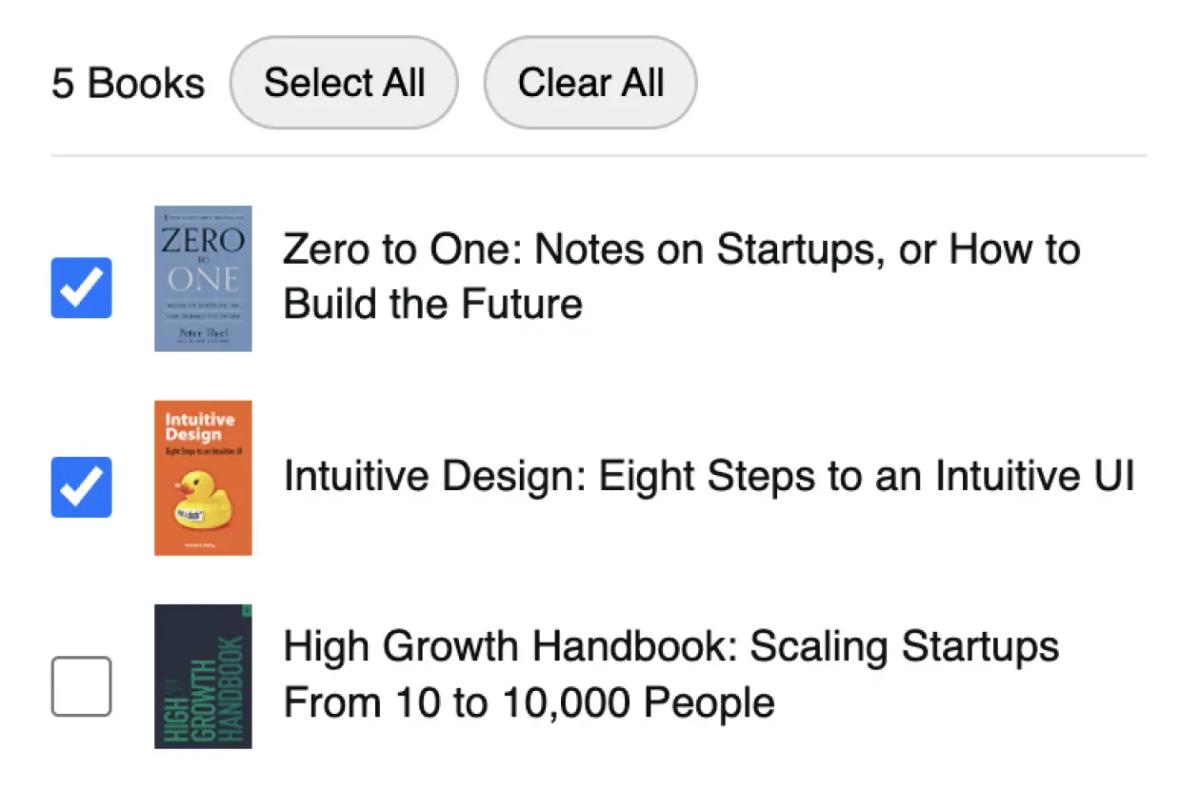
Select Kindle eBooks 📚
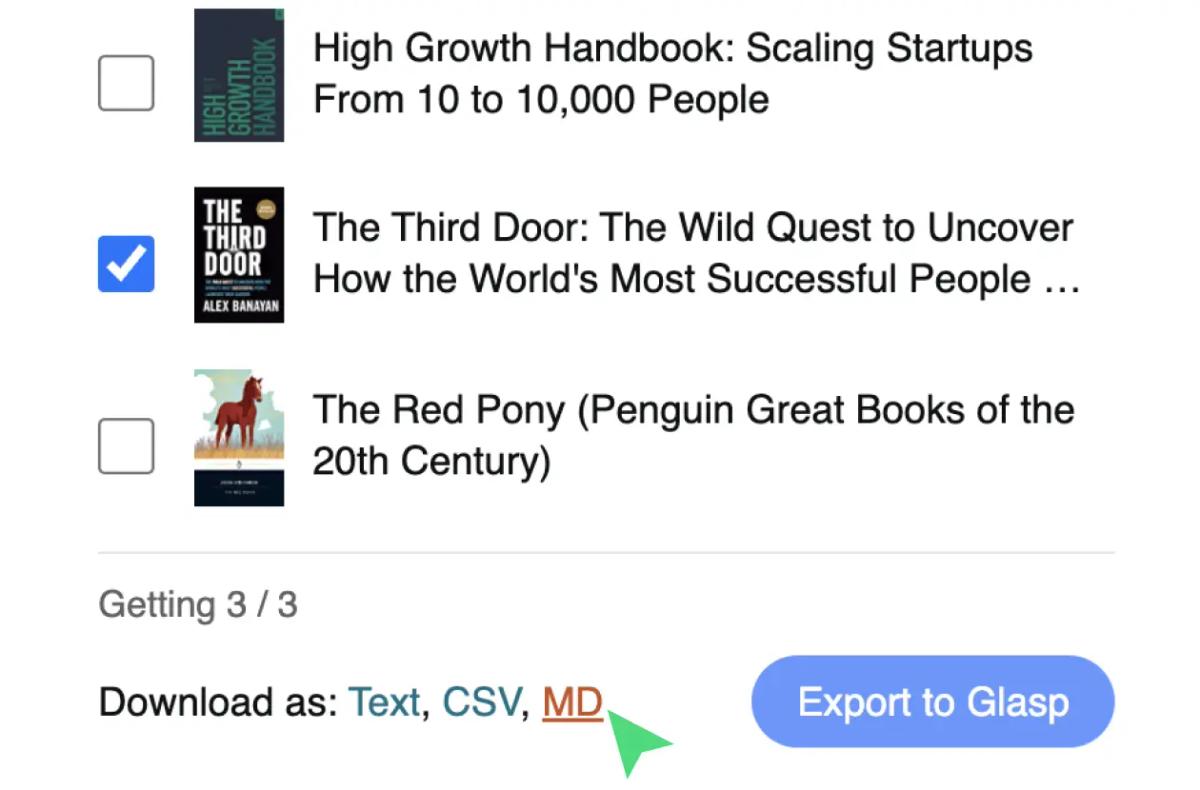
You can export your Kindle highlights and notes with meta data in TXT, CSV, and MD formats. Just 1-click to export all your highlights and notes.
Export All Kindle Highlights & Notes in 1-Click 🗂
Export your Kindle highlights and notes with meta data in TXT, CSV, and MD formats. Just 1-click to export all your highlights and notes.
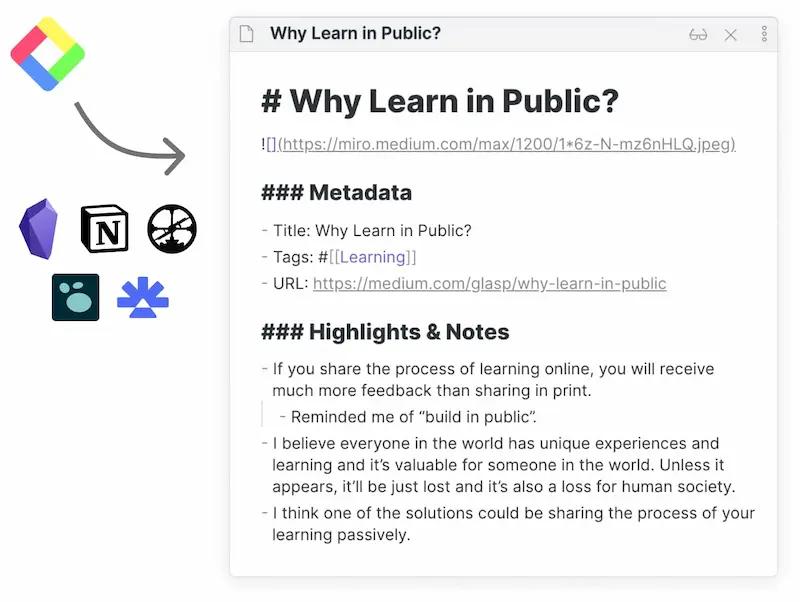
Export Highlights & Notes to Note-taking Apps by Integrations 📝
Export your highlights and notes to note-taking apps, including Notion, Obsidian, Roam Research, mem.ai, and more as you browse. Choose the format that works best for you.
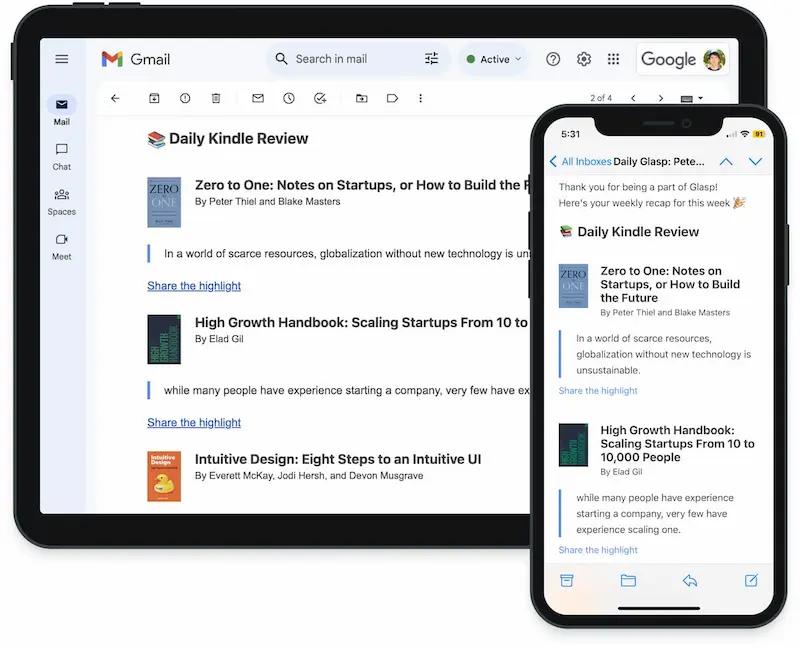
Daily Review of Kindle Highlights in Your Inbox 📩
Glasp will send you daily reviews of your Kindle highlights directly to your inbox, helping you remember and reinforce what you've read.
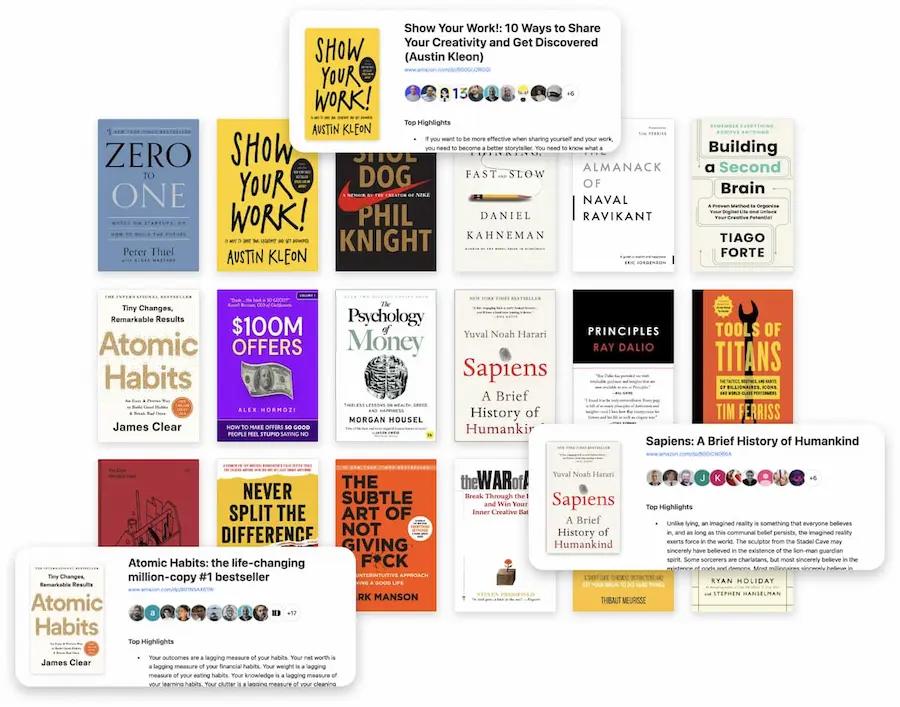
Connect with Like-minded Readers & Researchers
You can find like-minded people and learn from others. Connect with other readers, learners, and researchers using Glasp.
For Developers
Export Kindle Highlights via API 🛠
Build your own integrations. Pull every Kindle book and highlight programmatically with a single GET request. Read-only — your Kindle data stays in sync with the Glasp extension and CSV import flow.
GET https://api.glasp.co/v1/kindle-highlights/export
Authorization: Bearer <your-token>- • JSON response with full book metadata + highlights
- • Cursor-based pagination
- • 100 requests per minute
- • Get your token at /settings/access_token
Frequently Asked Questions
What is Kindle Highlight Export by Glasp?
Kindle Highlight Export by Glasp is a free feature that lets you import all your Kindle highlights and notes from Kindle Cloud Reader into Glasp with one click. No manual copy and paste required. It helps you organize and revisit the important parts of your reading.
How do I import Kindle highlights into Glasp?
Install the Glasp browser extension and log into Kindle Cloud Reader. Then click the Glasp icon, select your books, and click 'Import to Glasp'. Your imported highlights will appear in your Glasp account under the 'Kindle' tab and are private by default.
In what formats can I export Kindle highlights?
Glasp supports exporting Kindle highlights and notes in TXT, CSV, and Markdown (MD) formats. You can also copy them directly to your clipboard for easy use in apps like Notion, Obsidian, or Evernote.
Can I export Kindle highlights to note-taking apps?
Yes. After importing, you can export highlights to apps like Notion, Obsidian, Roam Research, and Evernote by copying or downloading them in supported file formats.
Can I copy and paste Kindle highlights beyond export limits?
Yes. Glasp allows you to bypass Kindle's copy/paste restrictions. You can select all highlights and use the 'Copy Highlights' button to copy everything, including metadata like title, author, and cover image.
Will I receive reminders or spaced repetition emails?
Yes. Glasp sends daily review emails with randomly selected Kindle highlights you've imported, helping you reinforce what you've read through spaced repetition.
How does the daily Kindle highlight review work?
Once you import your Kindle highlights, Glasp automatically sends you a daily email featuring a selection of your highlights. This helps you remember and apply what you've read without manually revisiting each book. You can also browse and search all your highlights on your Glasp profile anytime.
Which regions and Kindle versions are supported?
Glasp supports Kindle Cloud Reader in the US, UK, Canada, Germany, France, Spain, Italy, Australia, Brazil, Mexico, India, and Japan. It works with eBooks that are accessible via Kindle Cloud Reader.
Is Kindle Highlight Export free?
Yes. The feature is entirely free. You can import, export, copy, and review Kindle highlights without any subscription.
How do I get started with Kindle Highlight Export?
Simply install the Glasp browser extension, log into Kindle Cloud Reader, and open the 'Notes & Highlights' section. Then use the Glasp extension to export or import your highlights in just a few clicks.
Import & Export Kindle Highlights to Note-taking Apps
Glasp is a free tool to manage and review your Kindle highlights and notes. No manual copy-paste. Get daily review emails and connect with like-minded readers.