How to Build AI Projects: Beginner to Intermediate
TL;DR
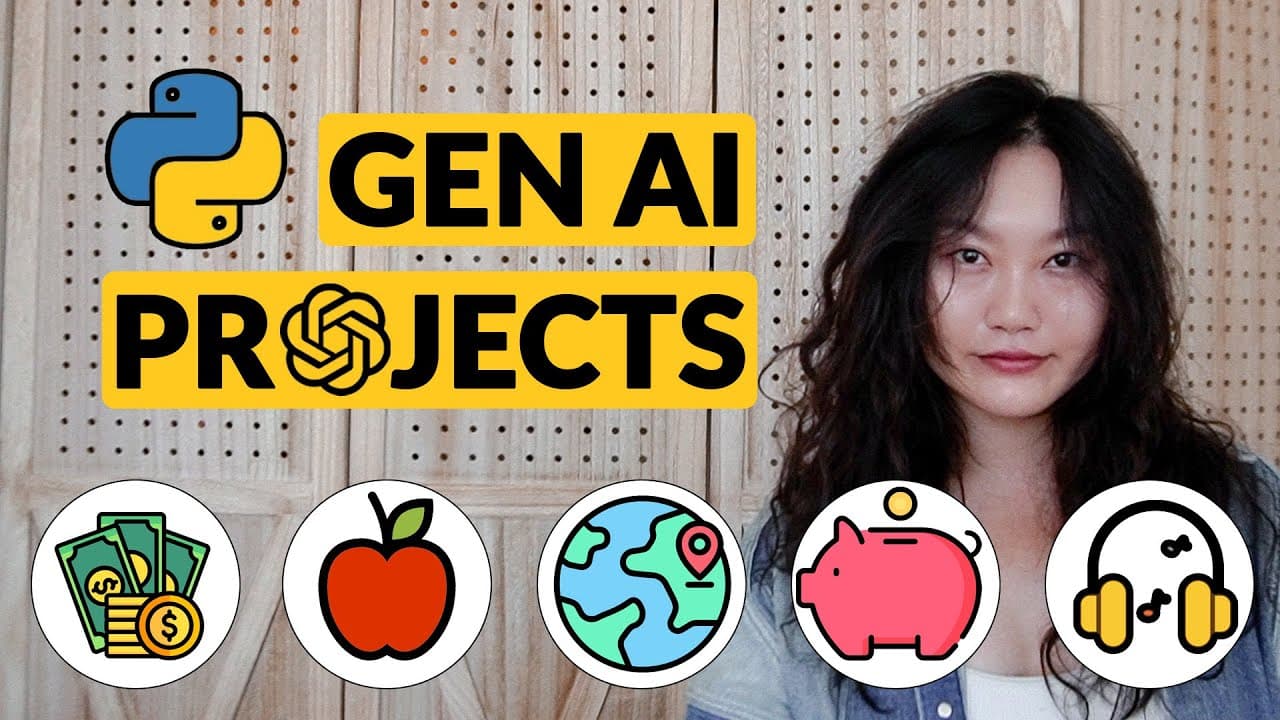
Discover five AI projects ranging from beginner to intermediate levels using tools like Python, LangChain, RAG, and OpenAI. Learn to create applications with prompt engineering, code, and custom web apps. Enhance your skills with AI models and APIs to build personal finance chatbots, travel apps, music composers, and more.
Transcript
hi everyone in this video I'm going to show you guys five AI projects that you can get started working on immediately for each project there will be three levels the first one is just going to be prompt engineering and some no code tools it's actually pretty crazy how much you can do with no code tools now even like build simple applications level ... Read More
Key Insights
- AI projects can be approached at different levels, starting with prompt engineering and no-code tools.
- Intermediate projects involve coding and creating dashboards with Python and Plotly.
- Advanced applications require building custom web apps using frameworks like Flask and LangChain.
- Retrieval Augmented Generation (RAG) enhances AI model accuracy by accessing specific data sources.
- Prompt engineering is essential and can be guided by the 5W framework (who, what, when, where, why).
- OpenAI's GPT-4 and other open-source models like LLaMA can be used for various AI applications.
- No-code platforms like Make.com and Bubble facilitate automation and web app development.
- AI-generated music and media content can be utilized for non-copyrighted playlists and creative projects.
Install to Summarize YouTube Videos and Get Transcripts
Explore YouTube Video Summarizer or Get YouTube Transcript Extractor
Questions & Answers
Q: How to start an AI project as a beginner?
Begin an AI project by focusing on prompt engineering and utilizing no-code tools. This approach allows you to experiment with AI capabilities without extensive programming knowledge. Use platforms like GPT-4 or open-source models to interact with AI and solve simple tasks, gradually moving to more complex projects.
Q: What is Retrieval Augmented Generation (RAG)?
Retrieval Augmented Generation (RAG) is a technique that improves AI model accuracy by allowing the model to access specific data sources. This means the AI can reference stored information during interactions, enhancing its ability to provide accurate and context-aware responses, rather than relying solely on pre-trained data.
Q: Why is prompt engineering important in AI projects?
Prompt engineering is crucial because it defines how effectively an AI model understands and processes user inputs. By carefully crafting prompts using frameworks like the 5W (who, what, when, where, why), you can guide the AI to produce more relevant and accurate outputs, making it a foundational skill in AI development.
Q: What tools can be used for AI music composition?
AI music composition can be achieved using platforms like Suno and AIVA, which offer AI-generated music tracks. These platforms allow users to create custom playlists for various purposes, such as study sessions or live streams, providing non-copyrighted music options tailored to specific moods or themes.
Q: How can no-code platforms assist in AI projects?
No-code platforms like Make.com and Bubble enable users to automate processes and build applications without extensive coding. They offer integrations with various APIs, allowing users to create complex workflows and web apps, making AI project development accessible to those with limited programming skills.
Q: What is the role of LangChain in AI applications?
LangChain is a framework that facilitates the implementation of Retrieval Augmented Generation (RAG) in AI applications. It provides tools for integrating AI models with specific data sources, enhancing the model's ability to deliver accurate, context-aware responses in custom web applications.
Q: How to create a personal finance AI chatbot?
To create a personal finance AI chatbot, start with prompt engineering to define the chatbot's role and goals. Use AI models like GPT-4 to analyze financial statements and provide insights on spending habits. For advanced features, integrate APIs for local data processing and develop a custom web app using frameworks like Flask.
Q: What are the benefits of using AI-generated media content?
AI-generated media content offers non-copyrighted options for creative projects, such as background music for videos or study playlists. It allows for customization based on specific themes or moods, providing flexibility for content creators to enhance their projects without legal constraints associated with copyrighted materials.
Summary & Key Takeaways
-
The video outlines five AI projects, each escalating in complexity from basic prompt engineering to full-stack development using Python and AI APIs. It emphasizes the use of LangChain and RAG for creating personalized applications like finance chatbots and travel planners.
-
Prompt engineering, a fundamental skill in AI, is demonstrated using the 5W framework to create effective AI models. The projects also explore integrating AI for music composition and media content generation, offering creative solutions for non-copyrighted materials.
-
Tools like Make.com and Bubble are highlighted for their ability to build and automate without extensive coding, while platforms like Streamlit and Flask are used for developing interactive dashboards and custom web applications.
Read in Other Languages (beta)
Share This Summary 📚
Summarize YouTube Videos and Get Video Transcripts with 1-Click
Try YouTube Summary with ChatGPT & Claude or YouTube Transcript Generator
Explore More Summaries from Tina Huang 📚


Summarize YouTube Videos and Get Video Transcripts with 1-Click
Try YouTube Summary with ChatGPT & Claude or YouTube Transcript Generator